
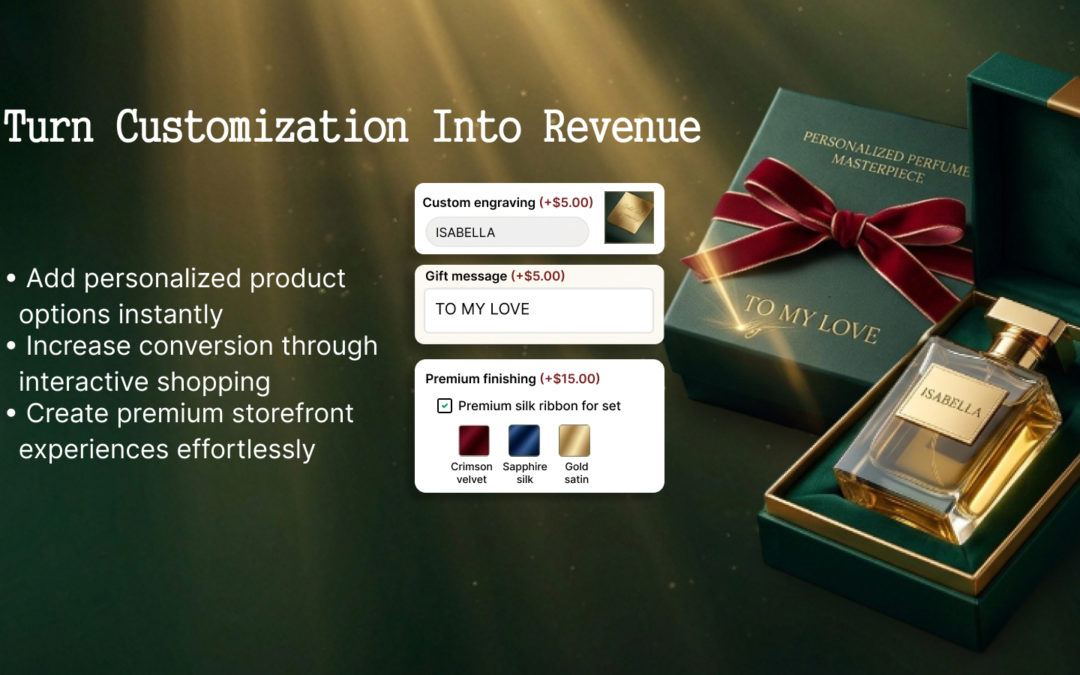
The good news is that you don’t need to create a separate Shopify variant for every possible customer choice.
With the right product options system, you can give customers the flexibility they want while keeping your Shopify store simple to manage.
The Problem: Too Many Choices, Too Many Variants
Imagine you sell a personalized gift.
Customers can choose:
- Size
- Color
- Material
- Text to engrave
- Font style
- Gift wrapping
- Upload an image
- Add a premium finish
If every combination is created as a Shopify variant, the number of possible combinations can grow very quickly.
For example: 5 sizes × 6 colors × 3 materials × 4 finishes = 360 combinations
And that’s before adding personalization, file uploads, engraving, or paid add-ons.
Creating and maintaining hundreds of variants for a single product isn’t just inconvenient. It can make your entire store harder to operate.
Why Too Many Variants Become a Business Problem
1. Your Product Catalog Becomes Hard to Manage
As you create more variants, managing your products can quickly become more complicated. For example, updating prices, inventory, images, and other product information across hundreds of combinations can take a lot of time.
Instead of managing one straightforward product, your team may have to work through hundreds of individual variants. As a result, simple product updates can turn into unnecessary administrative work.
2. Customers Can Get Confused
More importantly, customers don’t necessarily think in terms of Shopify variants. They think about the finished product they want.
They might simply think:
“I want this product in black, with my name engraved, and with gift wrapping.”
However, if those choices are presented as a complicated list of variants, the buying process can quickly become confusing. As a result, customers may struggle to understand how to configure the product. And when shoppers can’t easily find or select what they want, they may leave the store without completing their purchase.
3. Customization Can Become Difficult to Sell
In addition, not every customization is really a “variant.”
For example, customers might want to:
- Add their name
- Upload a logo
- Enter a personal message
- Choose a font
- Add gift wrapping for $5
- Upgrade to premium material for $15
Instead of treating every one of these choices as a traditional variant, merchants can use additional product options. This approach allows customers to personalize the product without unnecessarily increasing the number of variants.
The Better Solution: Separate Product Options From Variants
Rather than turning every possible customer choice into a Shopify variant, you can use additional product options to handle customization. This way, you can keep the core product simple while still giving customers plenty of ways to make it their own.
For example, your product could have:
Base product:
Personalized Wooden Gift
Standard variants:
- Small
- Medium
- Large
Additional options:
- Engraving text
- Font style
- Upload an image
- Gift wrapping
- Premium finish
- Special message
With this setup, you don’t need to create a separate product variant for every possible combination. Instead, customers can simply configure the product based on their preferences.
Give Customers More Choices
At the same time, a good product options experience should make customization feel simple rather than overwhelming.
For example, instead of showing every possible choice at once, you can organize options around the customer’s needs.
Do you want personalization?
- Yes
- No
If the customer chooses “Yes,” you can then use conditional logic to display only the relevant customization fields. As a result, customers see fewer unnecessary choices, the buying process feels more natural, and you can create opportunities for higher-value personalized orders.
For example:
Gift wrapping +$5
Premium material +$15
Custom engraving +$10
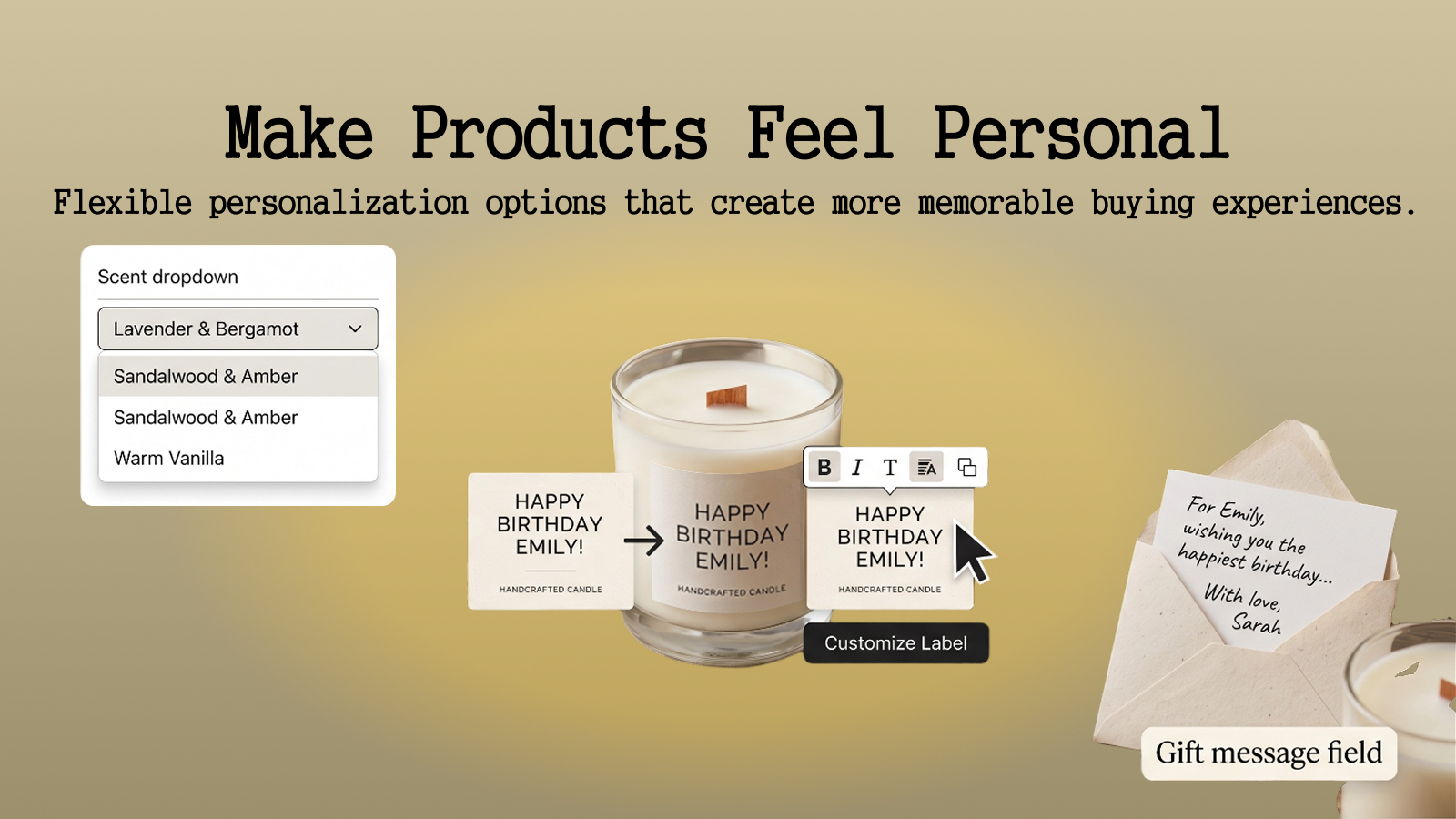
For example:
- Custom artwork
- Logos
- Photos
- Reference images
Instead of asking customers to place an order and then email the information separately, you can instead collect the required files directly during the product selection process. As a result, customers can provide everything they need at the time of purchase, making the ordering process smoother and more convenient. At the same time, your team can receive the necessary information with the order, reducing unnecessary back-and-forth. Ultimately, this makes complex products easier to buy and easier to manage.
The goal isn’t to give customers more options just for the sake of more options.
The goal is to give them the right options at the right time.
That’s especially important for products such as:
- Personalized gifts
- Custom apparel
- Jewelry
- Engraved products
- Furniture
- Custom packaging
- Print-on-demand products
- Promotional products
- Made-to-order products
- Products with paid upgrades
For these businesses, customization is often part of the product not just an extra feature. How Eazy Product Options & Variant Helps.
Eazy Product Options & Variant lets Shopify merchants add additional product options without creating a massive number of Shopify variants.
You can create options such as:
- Text fields
- File uploader
- Checkboxes
- Radio buttons
- Color swatches
- Image swatches
- Dropdown
- Custom add-ons
- Paid Add-ons
- Conditional options
This gives merchants more flexibility to build products around the way their customers actually shop.
Instead of asking:
“How can I create a variant for every possible combination?”
you can ask:
“What information or choices does my customer actually need to make this product theirs?”
That’s a much more scalable way to approach product customization. A Simpler Product Structure. Consider a store selling custom T-shirts.
Instead of creating hundreds of variants for every combination, you could structure the product like this:
T-Shirt (Variants)
- Size
- Color
Product options
- Add custom text
- Choose text color
- Upload artwork
- Add gift packaging
Conditional options
- Show text color only when custom text is selected
- Show artwork upload when custom artwork is selected
Paid add-ons
- Premium packaging +$5
As a result, you can offer a huge range of customer configurations without turning your Shopify admin into a maze of variants. More importantly, this creates a bigger opportunity for Shopify merchants. Today, customers increasingly expect products to fit their individual preferences. However, offering more personalization shouldn’t mean creating an increasingly complicated store. Instead, the best approach is to separate what the product is from how the customer wants to customize it.
For example, Shopify variants are useful for core product differences such as size and color. On the other hand, additional product options are better suited for the many choices that sit on top of the core product. By using both strategically, you can give customers more flexibility while keeping your product catalog easier to manage.
When you combine the two strategically, you can:
- Offer more customization
- Keep products easier to manage
- Reduce unnecessary variants
- Create a clearer buying experience
- Offer paid upgrades
- Collect customer information
- Support personalized orders
- Potentially increase average order value
Simplify Product Customization Without Adding More Variants
More product choices don’t necessarily have to mean more complexity for your business. In fact, with the right product options setup, a single Shopify product can support hundreds of customer configurations while still remaining manageable for your team.
As your store grows, however, you may reach a point where one product requires dozens—or even hundreds—of variants. When that happens, it may be time to rethink how you structure your product options.
That’s where Eazy Product Options & Variant can help. Instead of creating a separate Shopify variant for every possible combination, you can add customizations, conditional options, file uploads, and paid add-ons directly to your products. As a result, customers get more freedom to personalize their purchases, while your team can keep the product catalog easier to manage.
Frequently Asked Questions(FAQ)
1. Do I need a Shopify variant for every customization?
No. Many customizations can be handled as additional product options instead of creating a separate Shopify variant for every combination.
2. Can customers upload images or files?
Yes. File upload options can be used when customers need to provide artwork, photos, logos, or other files with their order.
3. Can I charge extra for product options?
Yes. Paid options and add-ons can be used to charge customers for upgrades, personalization, premium materials, gift wrapping, and other extras.
4. Can I show options based on a customer’s previous selection?
Yes. Conditional options can display or hide relevant fields based on what the customer chooses.
5. Is this useful for personalized products?
Absolutely. Product options are particularly useful for personalized gifts, apparel, jewelry, engraving, print-on-demand, custom products, and other made-to-order businesses.