
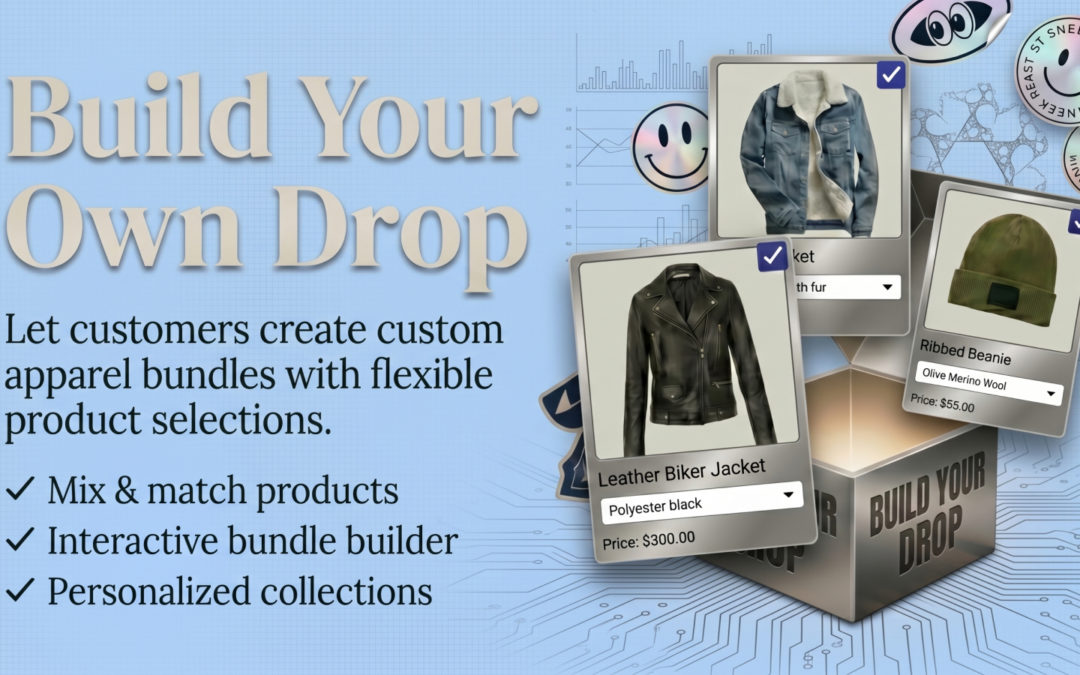
Eazy Bundles: A Complete Shopify Product Bundling App Guide
Selling more products from every Shopify order is one of the biggest goals for ecommerce merchants. However, simply adding more products to your store does not always increase sales. Customers need a clear reason to purchase multiple products together.
This is where Eazy Bundles can help.
Eazy Bundles is a Shopify app designed to help merchants create different types of product bundles without complicated coding. The app supports Fixed Bundles, Custom/Dynamic Bundles, and Volume Bundles, giving merchants several ways to encourage customers to purchase multiple products. Whether you sell clothing, beauty products, electronics, food, accessories, or other ecommerce products, bundling can make your offers easier to understand while giving customers more purchasing options.
In this guide, we will explain what Eazy Bundles is, how it works, its key features, pricing, benefits, installation process, and how Shopify merchants can use product bundles to improve their ecommerce strategy.
Table of Contents
- What Is Eazy Bundles?
- How Does Eazy Bundles Work?
- Key Features of Eazy Bundles
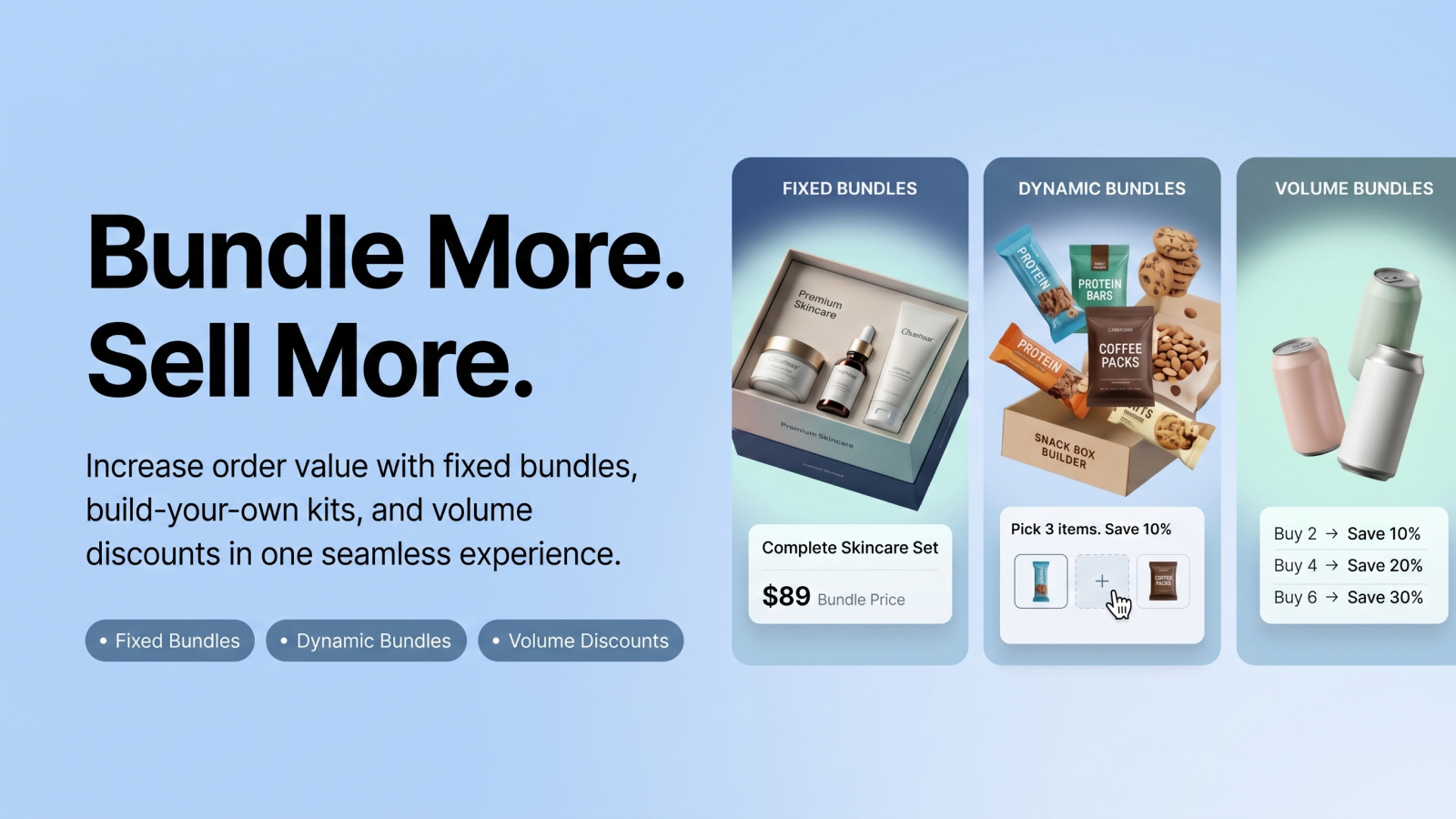
- Fixed Bundles
- Custom and Dynamic Bundles
- Volume Bundles
- Benefits of Using Eazy Bundles
- How Eazy Bundles Can Increase Average Order Value
- Eazy Bundles Pricing
- How to Install Eazy Bundles on Shopify
- How to Create a Product Bundle
- Eazy Bundles Use Cases
- Eazy Bundles for Different Shopify Stores
- Eazy Bundles vs Traditional Product Bundling
- Pros and Considerations
- Frequently Asked Questions
- Final Verdict
What Is Eazy Bundles?
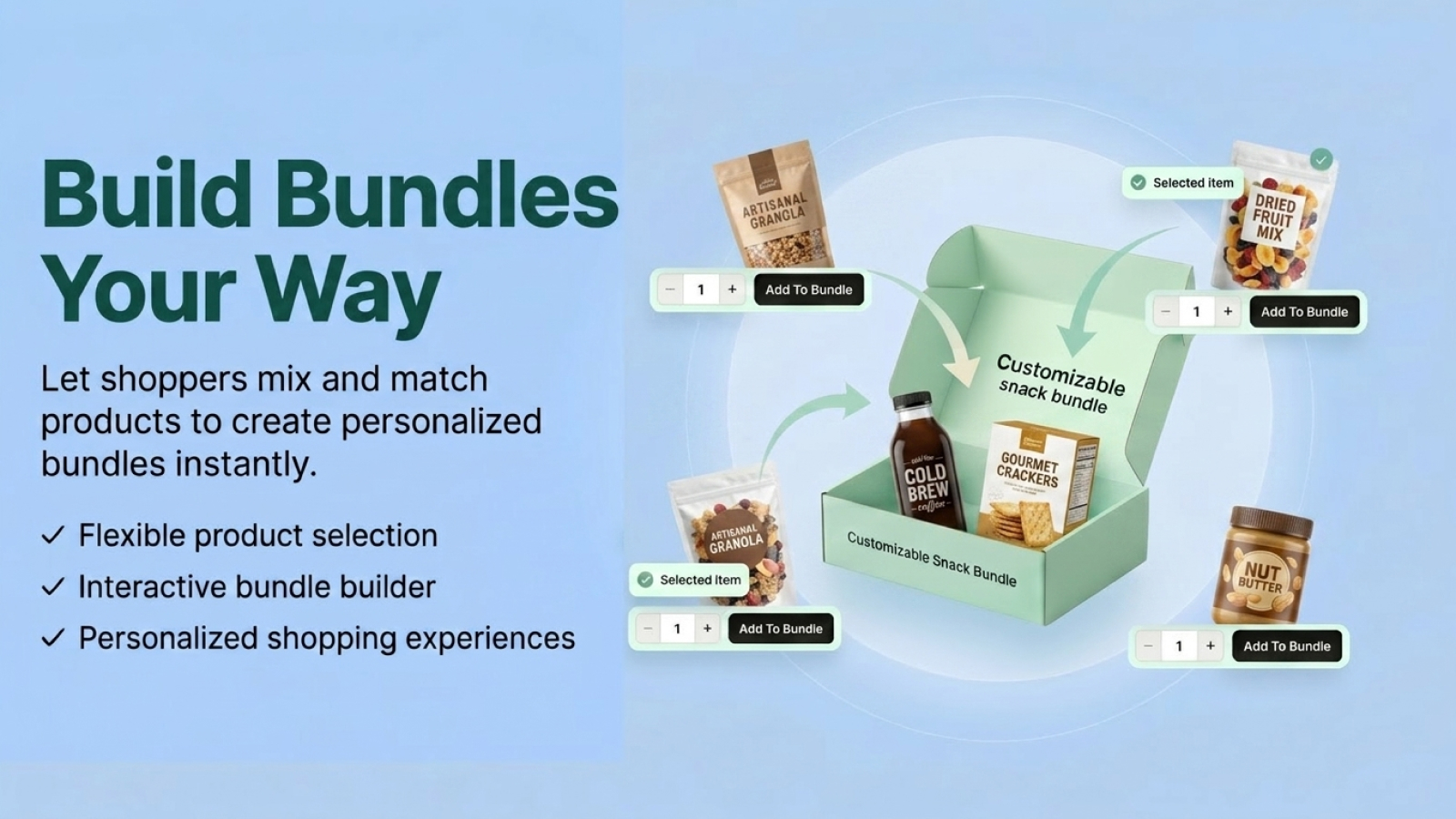
Eazy Bundles is a Shopify product bundling app developed by Mandolly Tech. It allows Shopify merchants to create product bundles and offer different purchasing options to customers.
The app focuses on three main bundle strategies:
- Fixed Bundles
- Custom/Dynamic Bundles
- Volume Bundles
According to its Shopify App Store listing, Eazy Bundles is designed to help merchants increase order value, provide personalized offers, and manage bundle products without coding. This makes it useful for stores that want to combine complementary products or encourage customers to purchase larger quantities.
For example, a skincare store could create a bundle containing a cleanser, moisturizer, and serum. A clothing store could create a shirt-and-pants package. A food store could offer a multi-pack with quantity-based discounts.
The idea is simple: instead of asking customers to discover related products separately, you can present them as one attractive purchasing opportunity.
How Does Eazy Bundles Work?
Eazy Bundles works by allowing merchants to create bundle offers from products already available in their Shopify store. You can select products, configure your bundle strategy, set pricing or discounts, and present the bundle to customers. The app supports different approaches depending on your business model.
Example
Imagine you sell coffee products.
Instead of selling:
- Coffee beans
- Coffee mug
- Coffee filter
as separate products, you could create a coffee starter bundle.
Customers can purchase the products together as a convenient package.
You could also create a volume offer such as:
Buy 2 → Save more
Buy 3 → Save even more
This gives customers a reason to increase their order quantity.
Eazy Bundles is designed to make these types of offers possible without requiring merchants to build custom bundle functionality from scratch.
Key Features of Eazy Bundles
Eazy Bundles provides several features designed for Shopify merchants who want to create flexible product offers.
1. Fixed Bundles
Fixed bundles allow merchants to create predefined product packages.
For example:
Summer Essentials Bundle
- T-shirt
- Shorts
- Sunglasses
Instead of purchasing each product separately, customers can purchase the complete bundle. Fixed bundles are particularly useful when you already know which products work well together.
2. Custom Bundles
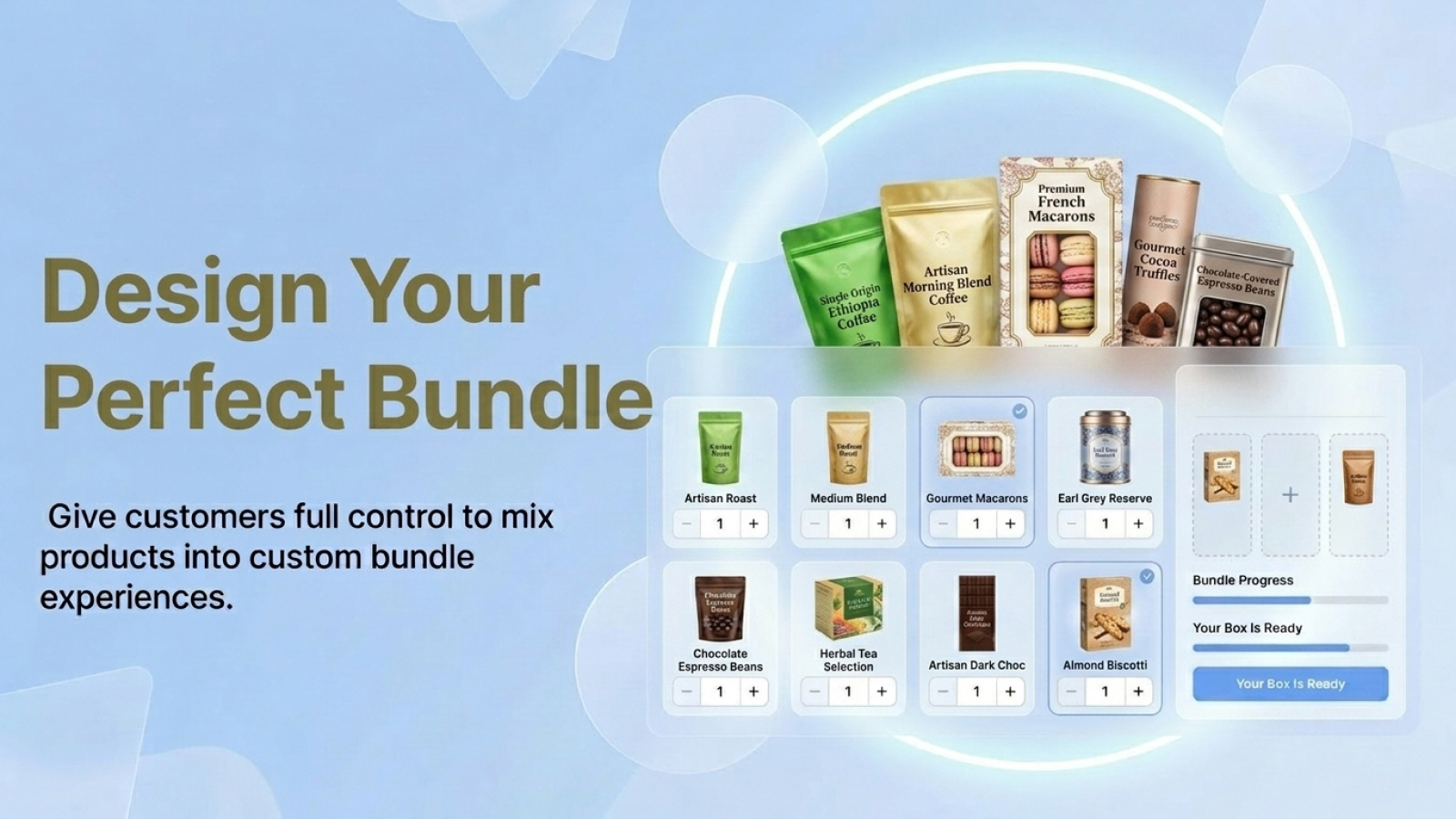
Custom bundles give customers more flexibility. Instead of forcing shoppers to purchase a predetermined package, you can allow them to select products according to their preferences.
For example:
Build Your Snack Box
Customers could choose:
- 2 snacks
- 1 drink
- 1 dessert
This approach can make the shopping experience more interactive and personalized.
3. Dynamic Bundles
Dynamic bundling can be useful when customers need different combinations of products. Rather than creating a separate product for every possible combination, merchants can create a bundle structure that allows shoppers to make selections. This can be especially useful for stores with multiple complementary products.
4. Volume Bundles
Volume bundles encourage customers to purchase more units.
A common example is:
Buy 1: Regular price
Buy 2: Discounted price
Buy 3: Greater discount
This strategy is often useful for products that customers naturally purchase in multiple quantities.
Examples include:
- Socks
- T-shirts
- Beauty products
- Food
- Supplements
- Stationery
- Household products
Eazy Bundles supports quantity breaks, discounts, volume discounts, and percentage discounts according to its Shopify App Store listing.
5. Customizable Templates
Eazy Bundles includes customizable templates that merchants can use when creating bundle offers. This can reduce the need for merchants to develop bundle layouts completely from scratch. For Shopify store owners, a customizable presentation can also make it easier to keep bundle offers consistent with the overall store design.
6. No-Code Setup
One of the important advantages of Eazy Bundles is that it is designed for merchants who may not want to work with custom code. You can create bundle offers through the app rather than developing a custom bundle system manually. This can save development time and make product bundling more accessible to small and growing Shopify stores.
Fixed Bundles vs Custom Bundles vs Volume Bundles
Choosing the right bundle type depends on your products and sales strategy.
| Bundle Type | Best For | Example |
|---|---|---|
| Fixed Bundle | Predefined product combinations | Shirt + Pants |
| Custom Bundle | Customer-selected combinations | Build Your Gift Box |
| Volume Bundle | Encouraging larger quantities | Buy 3, Save 15% |
Fixed Bundles
Use fixed bundles when several products naturally belong together.
Custom Bundles
Use custom bundles when customers should have control over what they receive.
Volume Bundles
Use volume bundles when you want customers to buy more units of the same or related products. Using the right bundle structure can make your offers more relevant to your customers.
Benefits of Using Eazy Bundles
1. Increase Average Order Value
One of the main reasons Shopify merchants use product bundles is to encourage customers to purchase more products in a single order.For example, a customer planning to buy one product might see a relevant bundle containing three complementary products. If the offer provides enough value, the customer may choose the bundle instead.
This can potentially increase the average order value (AOV) of your store.
Eazy Bundles specifically positions its bundle functionality around increasing order value and creating personalized offers.
2. Create More Attractive Offers
Product bundles can make promotions easier to communicate. Instead of displaying multiple individual discounts, you can create a clear offer such as:
Complete Skincare Set – Save When You Buy Together
This can make your promotion easier for shoppers to understand.
3. Encourage Cross-Selling
Bundles can also help introduce customers to related products.
For example:
A customer buys a camera.
You could create a bundle containing:
- Camera
- Memory card
- Camera bag
- Tripod
Instead of relying entirely on customers to find those products themselves, the bundle presents them together.
4. Encourage Bulk Purchases
Volume bundles can encourage customers to purchase larger quantities.
For example:
Buy 1 – $20
Buy 2 – $36
Buy 3 – $48
The customer receives a better effective price as the quantity increases. This approach can be useful for products that customers commonly purchase more than once.
Improve the Shopping Experience
Customers often appreciate convenience. If several products are commonly purchased together, combining them into one offer can reduce the effort required to find each product individually. A well-designed bundle can therefore provide both commercial value for the merchant and convenience for the customer.
How Eazy Bundles Can Increase Average Order Value
Average Order Value is an important ecommerce metric.
The basic formula is:
AOV = Total Revenue ÷ Number of Orders
Suppose your store receives 100 orders and generates $5,000 in revenue.
Your average order value is:
$5,000 ÷ 100 = $50
Now imagine you introduce relevant product bundles and your average order increases to $65.
With the same number of orders, revenue could potentially increase.
Of course, bundles do not automatically guarantee higher revenue. Their effectiveness depends on product selection, pricing, discount levels, customer demand, and how clearly the offer is presented.
The goal is to create bundles that provide genuine value rather than simply adding unrelated products together.
Eazy Bundles Pricing
Eazy Bundles currently offers a Free plan and a Pro plan.
According to the Shopify App Store listing:
Free Plan
The free plan includes:
- Up to 3 active bundles
- Customizable templates
Pro Plan
The Pro plan is listed at:
$9.99/month
or $99.99/year, which Shopify lists as saving 17% compared with the monthly pricing.
The Pro plan includes:
- Unlimited bundles
- 24/7 support
- 7-day free trial
Pricing and features can change, so merchants should check the current Shopify App Store listing before making a purchasing decision.
How to Install Eazy Bundles on Shopify
Installing Eazy Bundles is straightforward through the Shopify App Store.
Step 1: Open Shopify App Store
Search for Eazy Bundles in the Shopify App Store.
You can access the official listing here:
Eazy Bundles on Shopify App Store
Step 2: Select Install
Open the Eazy Bundles listing and select the installation option.
Shopify will ask you to select or log in to your store.
Step 3: Review App Permissions
Before installing any Shopify app, review the permissions requested by the application.
Eazy Bundles requests access related to products, discounts, Shopify Functions, the online store, and custom data to provide its functionality.
Step 4: Install the App
After reviewing the permissions and pricing, complete the Shopify installation process.
Step 5: Start Creating Bundles
Once installed, open Eazy Bundles from your Shopify admin and begin creating your first bundle.
Start with a small number of products and test the offer before creating a large bundle catalog.
How to Create a Product Bundle
Creating an effective product bundle involves more than simply combining random products.
Follow these steps.
Step 1: Choose Complementary Products
Select products customers naturally use together.
For example:
Laptop + Laptop Bag + Mouse
is more logical than:
Laptop + Coffee Mug + Candle
The first combination solves a related customer need.
Step 2: Select Your Bundle Type
Choose between:
- Fixed Bundle
- Custom Bundle
- Volume Bundle
Your choice should depend on the shopping behavior you want to encourage.
Step 3: Set Your Pricing
Determine whether your bundle should:
- Have a fixed price
- Offer a percentage discount
- Use quantity-based pricing
- Provide a volume discount
Avoid excessive discounts that reduce your profit margin.
Step 4: Make the Offer Clear
Customers should immediately understand:
- What is included
- How much it costs
- What they save
- Why the products belong together
For example:
Complete Gym Starter Bundle
Includes:
- Resistance bands
- Workout mat
- Water bottle
Bundle price: $49
Save $10
Clear messaging makes the offer easier to understand.
Step 5: Test the Bundle
Before promoting your bundle, test the complete customer journey.
Check:
- Product selection
- Pricing
- Discount calculation
- Add-to-cart behavior
- Checkout
- Mobile display
A bundle should work smoothly on both desktop and mobile devices.
Eazy Bundles Use Cases
Eazy Bundles can be used across many ecommerce industries.
Fashion Stores
Create combinations such as:
Complete Outfit Bundle
- Shirt
- Pants
- Belt
You can also use volume bundles for products such as socks, T-shirts, or accessories.
Beauty Stores
Beauty businesses can create product routines.
For example:
Daily Skincare Bundle
- Cleanser
- Toner
- Moisturizer
This can make it easier for customers to purchase a complete routine.
Food and Beverage Stores
Food merchants can create:
Family Pack
- Main product
- Side product
- Dessert
- Beverage
Volume bundles can also work well for products customers regularly purchase in larger quantities.
Electronics Stores
Electronics stores can bundle products with complementary accessories.
For example:
Photography Starter Bundle
- Camera
- Memory card
- Camera bag
The bundle provides a convenient package for customers who need several products at once.
Gift Stores
Custom bundles can be particularly useful for gift businesses. A customer could select several products and create a personalized gift box. This approach can make the purchasing experience more engaging.
Eazy Bundles for Small Shopify Businesses
Small businesses often have limited development resources. Building a custom bundle system can require technical knowledge, development time, and ongoing maintenance. A Shopify app such as Eazy Bundles can provide a simpler approach. The free plan allows merchants to create up to three active bundles, while the Pro plan supports unlimited bundles according to the current Shopify App Store listing. This can make the app suitable for businesses that want to start small and expand their bundle strategy as they grow.
Eazy Bundles for Growing Shopify Stores
Growing Shopify stores often need more flexible merchandising strategies.
Instead of relying only on individual product sales, merchants can introduce:
- Product bundles
- Volume discounts
- Custom bundles
- Promotional packages
- Cross-selling offers
This gives merchants additional ways to organize their product catalog and encourage larger purchases. For stores with a large number of products, however, bundle performance should be monitored carefully. Not every combination will generate additional sales.
Eazy Bundles vs Traditional Product Bundling
Traditional product bundling often requires merchants to manually create product combinations.
For example, a store owner might create a separate product called:
Camera Starter Kit
This approach can become difficult when the store has many combinations. A dedicated Shopify bundle app can simplify the process by providing tools specifically designed for bundle creation. Eazy Bundles focuses on three different bundling strategies within one app: fixed, custom/dynamic, and volume bundles. That flexibility can be useful for merchants who want to experiment with different bundle formats.
Pros and Considerations
Pros
1. Mutiple Bundles Types
Eazy Bundles supports fixed, custom/dynamic, and volume bundle strategies.
2. No-Code Approach
Merchants can create bundle offers without needing to build everything manually with code.
3. Free Plan
A free plan is available for merchants who want to start with a limited number of active bundles.
4. Customizable Templates
Templates can help merchants present bundle offers in a more consistent way.
5. 24/7 Support on Pro
The Pro plan includes 24/7 support according to the Shopify App Store listing.
Consideration
Before installing any Shopify app, merchants should consider:
- Compatibility with their store theme
- Pricing
- Bundle requirements
- Inventory workflow
- Discount strategy
- Customer experience
- Mobile performance
- App permissions
It is also important to test bundles before launching them to all customers.
Best Practices for Shopify Product Bundles
1. Bundle Products That Make Sense
Your products should have a logical relationship. Think about what customers naturally purchase together.
2. Avoid Excessive Discounts
A bundle should increase perceived value without destroying your margins. Calculate your costs before setting the final price.
3. Keep the Offer Simple
Customers should understand your bundle within seconds. Avoid complicated pricing structures unless your audience understands them.
4. Use Strong Product Images
A professional bundle image can help customers understand what they are buying. Show all important products clearly.
5. Highlight the Savings
If the bundle provides a discount, make the benefit obvious.
For example:
Individual Price: $75
Bundle Price: $60
You Save: $15
6. Test Different Bundle Types
Do not assume that one bundle type will work for every product.
Test:
- Fixed bundles
- Custom bundles
- Volume bundles
Then compare performance.
Frequently Asked Questions (FAQ)
1. What is Eazy Bundles?
Eazy Bundles is a Shopify app for creating product bundles. It supports fixed bundles, custom/dynamic bundles, and volume bundles.
2. Is Eazy Bundles free?
Yes. Eazy Bundles has a free plan that currently supports up to three active bundles. A paid Pro plan is also available.
3. How much does Eazy Bundles cost?
The Pro plan is currently listed at $9.99 per month or $99.99 per year. The Pro plan also includes a 7-day free trial.
4. Can I create fixed product bundles?
Yes. Fixed bundles are one of the bundle types supported by Eazy Bundles.
5. Can customers create their own bundles?
Eazy Bundles supports custom/dynamic bundles, allowing merchants to create more flexible bundle experiences.
6. Does Eazy Bundles support volume discounts?
Yes. Volume bundles and quantity-based discounts are among the supported features.
7. Does Eazy Bundles require coding?
The app is designed to simplify bundle creation without requiring merchants to build the functionality from scratch with code.
8. Who develops Eazy Bundles?
Eazy Bundles is developed by Mandolly Tech. The Shopify App Store currently lists the app as having launched on December 3, 2025.
Final Verdict: Is Eazy Bundles Worth Trying?
Eazy Bundles is a Shopify product bundling solution designed for merchants who want to create more flexible offers without building a custom bundle system. Its main strength is the combination of fixed bundles, custom/dynamic bundles, and volume bundles in one app. This gives merchants multiple ways to encourage customers to purchase complementary products or larger quantities. The free plan also makes it possible to experiment with up to three active bundles before moving to the Pro plan. For a Shopify merchant, the best approach is to start with products that naturally belong together, create a clear offer, test the customer experience, and monitor results.
If your goal is to increase average order value, simplify product combinations, encourage bulk purchases, or give customers more purchasing choices, Eazy Bundles is worth considering as part of your Shopify sales strategy.