
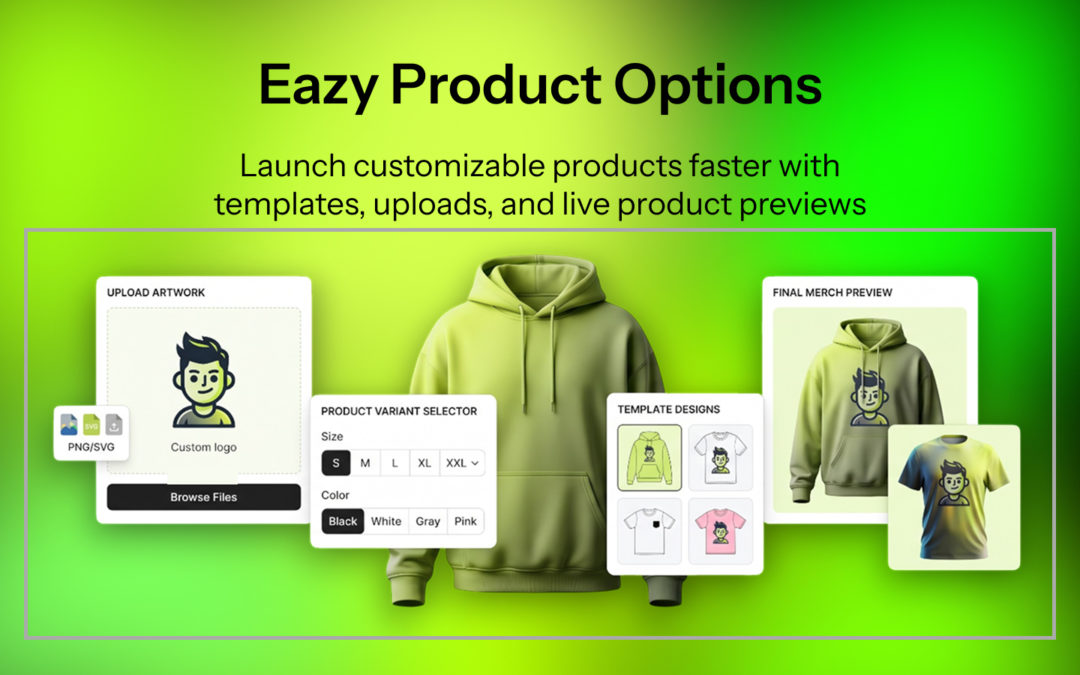
Eazy Product Options: A Complete Shopify Product Customization Guide
Selling products online is no longer only about offering the right product. Customers increasingly want to choose colors, add names, upload designs, select upgrades, add gift options, and personalize products before placing an order.
That is where Eazy Product Options can help Shopify merchants create a more flexible shopping experience.
Eazy Product Options & Variant is a Shopify product customization app designed to add custom fields and product choices without requiring merchants to create every possible combination as a traditional Shopify variant. The app supports text fields, dropdowns, checkboxes, radio buttons, image and color swatches, file uploads, conditional logic, add-on pricing, templates, and live preview features.
Shopify currently allows up to 2,048 variants per product and up to three options. However, Shopify also states that merchants who need more than 2,048 variants or more than three options can use a third-party app or customize their theme with line item properties.
For stores selling personalized, made-to-order, print-on-demand, giftable, configurable, or customizable products, a dedicated Shopify Product Customizer can therefore provide a more flexible customer experience.
Table of Contents
- What Is Eazy Product Options?
- Why Shopify Merchants Need Product Options
- Key Features of Eazy Product Options
- Eazy Product Options Feature Comparison
- How Eazy Product Options Can Be Used
- Eazy Product Options for Personalized Products
- Case Study 1: Personalized Apparel
- Case Study 2: Custom Gifts
- Eazy Product Options Pricing
- Eazy Product Options vs Traditional Shopify Variants
- Pros and Considerations
- Who Should Use Eazy Product Options?
- Why Trust Us
- Frequently Asked Questions
- Conclusion
What Is Eazy Product Options?
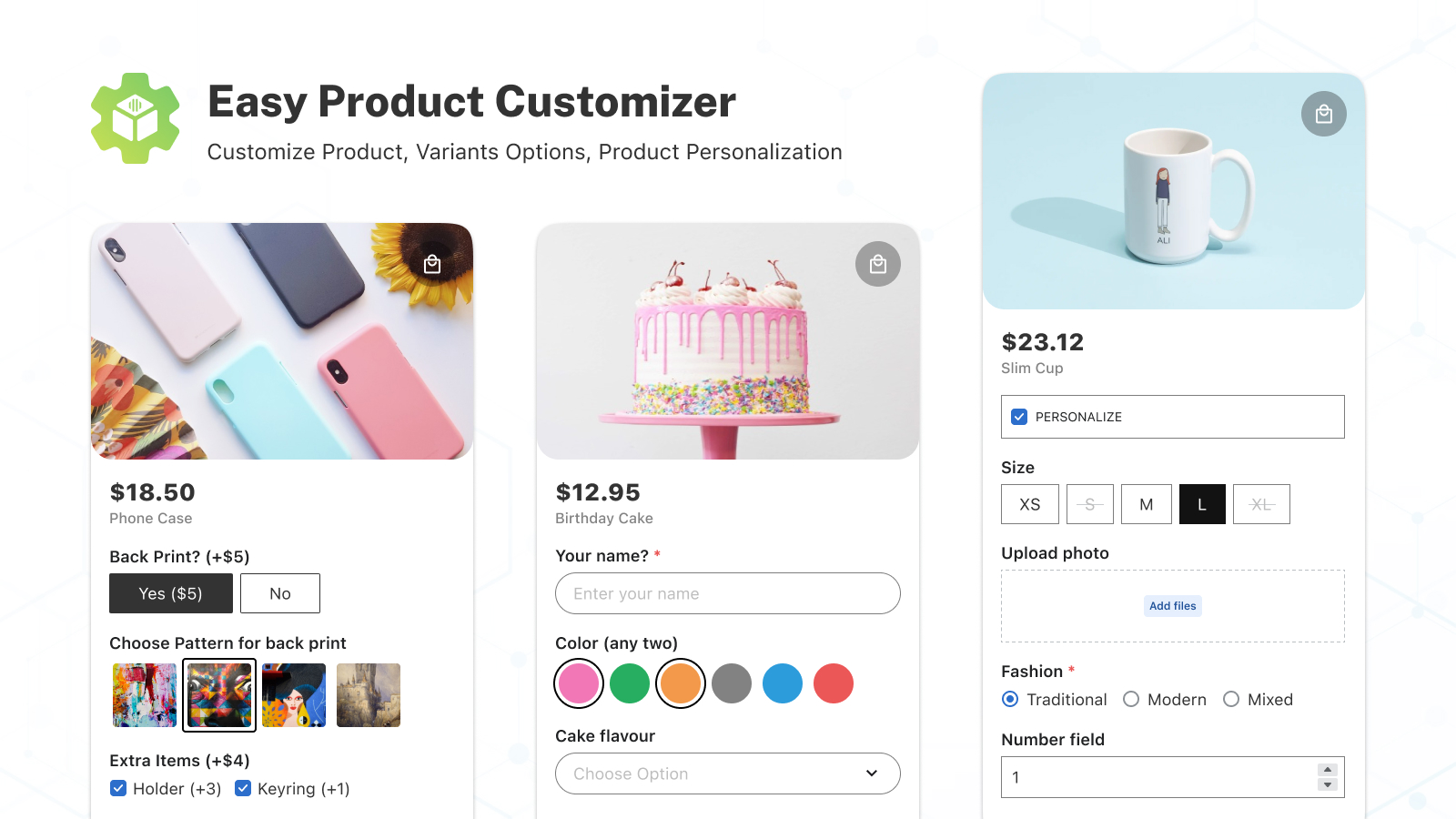
Eazy Product Options is a Shopify app that helps merchants add additional product customization fields and purchasing choices to their storefront.
Instead of creating a separate product or traditional variant for every customization, merchants can display additional fields directly on the product page. As a result, customers can provide information or select options that go beyond basic size and color choices.
These can include:
- Text fields
- Text areas
- Email and phone fields
- Dropdown menus
- Radio buttons
- Checkboxes
- Color swatches
- Image swatches
- File uploads
- Date pickers
- Conditional options
- Additional pricing
- Live preview
- Product option templates
The Shopify App Store currently lists Free, Starter, and Pro plans. Starter adds features such as single-file uploads, conditional logic, add-on charges, unlimited products and collections, and a date picker. Pro adds multi-file uploads, live preview, and bundle product options.
The app is developed by Mandolly Tech and launched in March 2023. Shopify currently identifies it as Built for Shopify.
Why Shopify Merchants Need Product Options
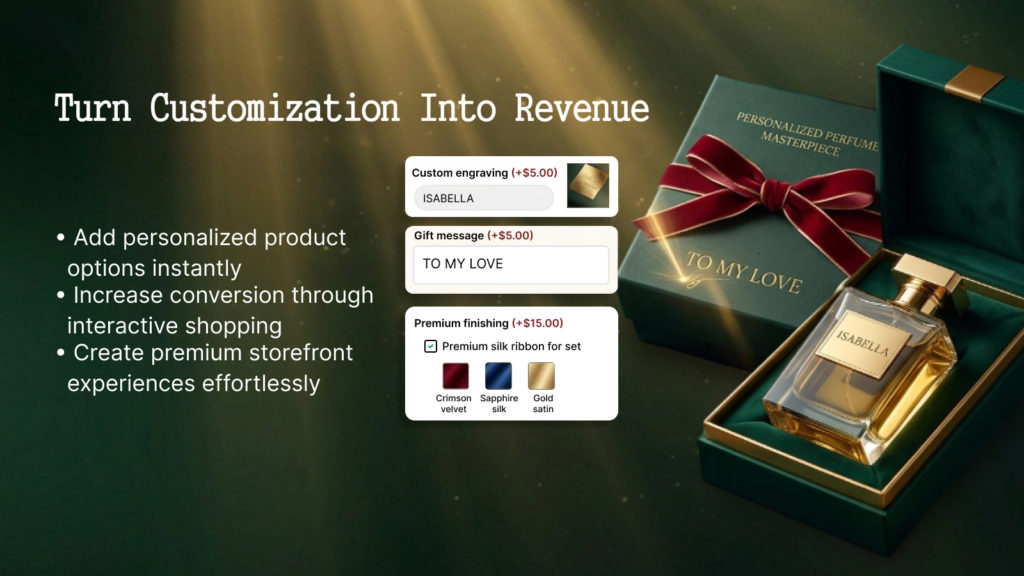
Shopify’s standard variant system works well for straightforward choices such as size, color, or material.
However, customization becomes more complicated when customers need to provide information instead of simply selecting a variant. For example, a personalized product may require text, artwork, an image, or a special instruction.
For example, imagine selling a personalized mug.
A customer might need to:
- Select the mug color.
- Enter a name.
- Choose a font.
- Upload a photo.
- Select gift wrapping.
- Pay an additional customization charge.
Creating every possible combination as a traditional variant could quickly become difficult to manage.
Shopify’s current documentation states that each product can have up to three options and 2,048 variants. Therefore, stores with more complex customization needs may need another approach.
This is one of the main reasons merchants explore a Shopify Custom Product Options solution.
Key Features of Eazy Product Options
1. Custom Product Fields
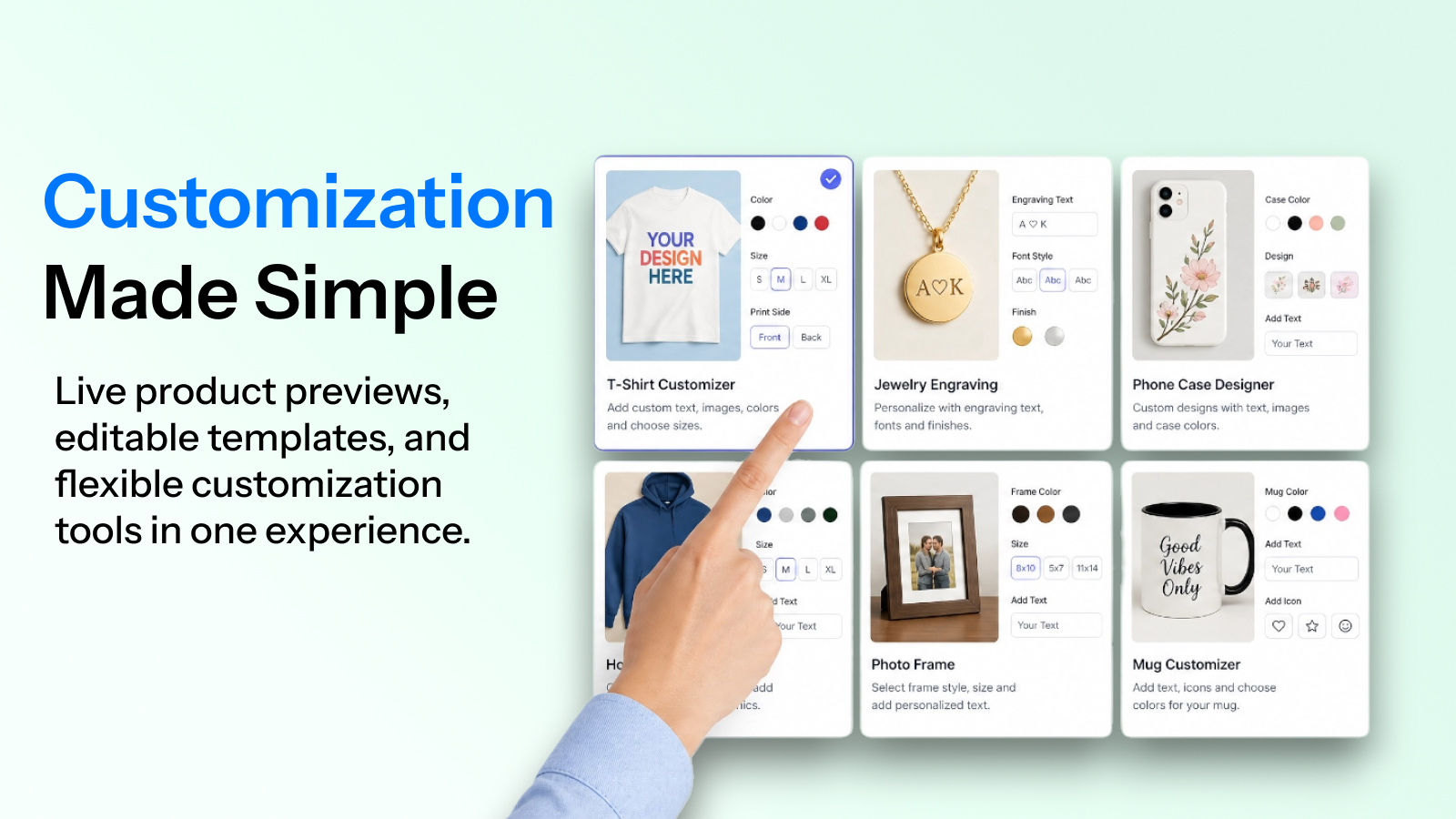
Merchants can add different types of fields to collect customer information. These fields make it easier to gather important details directly from the product page.
For example, a store could request:
- Customer name
- Engraving text
- Special instructions
- Contact information
- Product preferences
- Custom messages
This makes the app suitable for personalized products where customers need to submit information before checkout.
2. Color and Image Swatches
Visual selections can be easier to understand than traditional dropdown menus.
With Shopify Color Swatches and image swatches, merchants can display product choices visually.
This can work particularly well for:
- Clothing
- Furniture
- Jewelry
- Accessories
- Home décor
- Custom gifts
- Beauty products
A visual option can help customers understand their choices before adding an item to the cart.
3. File Uploads
A Shopify File Upload App can be especially useful for businesses that require customer artwork, photos, or other files.
Examples include:
- Custom T-shirts
- Printed mugs
- Wedding invitations
- Personalized stationery
- Photo gifts
- Custom signs
- Printed packaging
The current app listing identifies support for common file types including PNG, JPEG, PSD, PDF, Excel, and images.
Merchants should nevertheless verify current file-type and upload requirements against their exact store workflow before launch.
4. Conditional Logic
Another useful feature is Shopify Conditional Logic.
Conditional logic allows merchants to display certain options based on a customer’s previous selection. This means customers do not have to see every possible field at once.
For example:
Do you want engraving?
- No
- Yes
If the customer selects Yes, additional fields can appear:
- Enter engraving text
- Select engraving style
- Choose engraving location
- Add engraving fee
This keeps the product page cleaner than displaying every possible field at once.
5. Add-On Pricing
Not every customization needs to be free.
For instance, a premium material, engraving service, gift wrap, upgraded packaging, or additional personalization may require an extra charge.
Eazy Product Options supports Shopify Add-on Pricing, allowing merchants to associate an additional cost with customization selections. The current Starter plan includes add-on charges.
For example:
| Customer selection | Additional price |
| Standard product | $0 |
| Gift wrapping | +$5 |
| Basic engraving | +$8 |
| Premium engraving | +$15 |
| Additional personalization | +$10 |
This creates a more flexible purchasing experience without necessarily creating separate products for every combination.
6. Live Preview
Visual feedback can be important when selling personalized products.
The Pro plan currently includes live preview functionality.
A live preview can be particularly helpful when customers personalize names, text, images, or other visual elements.
7. Ready-Made Templates
Creating dozens of option sets from scratch can take time.
Eazy Product Options provides templates intended to help merchants start with common customization structures. Merchants can then adjust those templates according to their products.
8. Apply Options to Products or Collections
Merchants can apply option sets to selected products, variants, collections, or broader product groups depending on their configuration.
This can be useful for stores with many similar customizable products. Instead of rebuilding the same fields repeatedly, merchants can create reusable option structures.
As a result, managing customization across a larger catalog can become more organized.
Eazy Product Options Feature Comparison
| Feature | Eazy Product Options |
| Text fields | Yes |
| Text area | Yes |
| Dropdowns | Yes |
| Radio buttons | Yes |
| Checkboxes | Yes |
| Color swatches | Yes |
| Image swatches | Yes |
| File uploads | Yes |
| Conditional logic | Yes |
| Add-on pricing | Yes |
| Date picker | Yes |
| Live preview | Pro |
| Multi-file upload | Pro |
| Templates | Yes |
| Bundle product option | Pro |
| Free plan | Yes |
| Starter plan | Yes |
| Pro plan | Yes |
Feature availability can depend on the selected plan and Shopify store configuration, so merchants should check the current App Store listing before making a purchasing decision.
How Eazy Product Options Can Be Used
The flexibility of product options makes the app suitable for different types of ecommerce stores.
Apparel Stores
A clothing business could allow customers to choose:
- Size
- Color
- Custom text
- Embroidery
- Print location
- Design upload
Print-on-Demand Stores
A print-on-demand merchant could allow customers to upload artwork or images before purchasing.
Jewelry Stores
A jewelry store could offer:
- Engraving
- Initials
- Birthstone selection
- Gift packaging
- Special messages
Gift Stores
Gift businesses can use custom fields for:
- Recipient name
- Gift message
- Packaging
- Delivery date
- Greeting card
- Personalization
Furniture and Home Décor
Furniture sellers can offer choices such as:
- Fabric
- Finish
- Material
- Color
- Dimensions
- Accessories
Eazy Product Options for Personalized Products
Shopify Product Personalization is becoming increasingly important for merchants competing with marketplaces and specialized customization stores.
Personalization can transform a standard product into a customer-specific product.
For example, instead of selling:
“Leather Wallet”
a merchant could offer:
“Personalized Leather Wallet — Add Your Initials”
The customer could select:
- Leather color
- Monogram style
- Initials
- Position
- Gift packaging
These additional choices make the product experience more interactive.
However, personalization should remain simple.
However, personalization should be simple.
Too many fields can overwhelm customers and make the buying process feel complicated.
For this reason, merchants should provide only the choices that add real value.
A good approach is to use conditional logic.
Only display advanced customization fields when the customer selects the relevant option.
Case Study 1: Personalized Apparel
Scenario: A small apparel merchant sells customized T-shirts.
Previously, the merchant created separate product variants for color and size. Customers who wanted printing personalization had to explain their requirements through a separate message.
This created two problems.
First, the customer journey was confusing.
Second, the merchant had to manually interpret personalization requests.
With a Shopify Product Customizer, the merchant could organize the product page like this:
Step 1 — Select size
- Small
- Medium
- Large
- XL
Step 2 — Select color
- Black
- White
- Navy
Step 3 — Add personalization
- No personalization
- Add custom text
Step 4 — Enter text
A text field appears only when personalization is selected.
Step 5 — Upload artwork
A file uploader appears when the customer chooses custom artwork.
Step 6 — Add premium printing
An additional charge can be associated with the premium printing option.
This workflow is easier to understand because customers see only the fields that relate to their choices.
In this example, conditional logic, file uploads, swatches, and add-on pricing work together to create a more organized product customization experience.
Case Study 2: Custom Gift Store
Scenario: A gift store sells personalized wooden signs.
The merchant wants customers to select:
- Sign size
- Wood finish
- Text
- Font
- Artwork
- Gift wrapping
Instead of creating hundreds or thousands of variant combinations, the store could separate standard product variants from customization options.
For example:
Core product variants
- Small
- Medium
- Large
Customization options
- Wood finish
- Custom text
- Font style
- Artwork upload
- Gift wrapping
Gift wrapping could carry an additional fee.
Similarly, artwork upload could appear conditionally when required.
Font selection could also be represented with visual options.
This structure can make complex products easier for both customers and store administrators to understand.
It is important to remember that this is an illustrative workflow, not a claim of measured revenue improvement. Merchants should test their own conversion rates, average order value, fulfillment process, and customer feedback.
Eazy Product Options Pricing
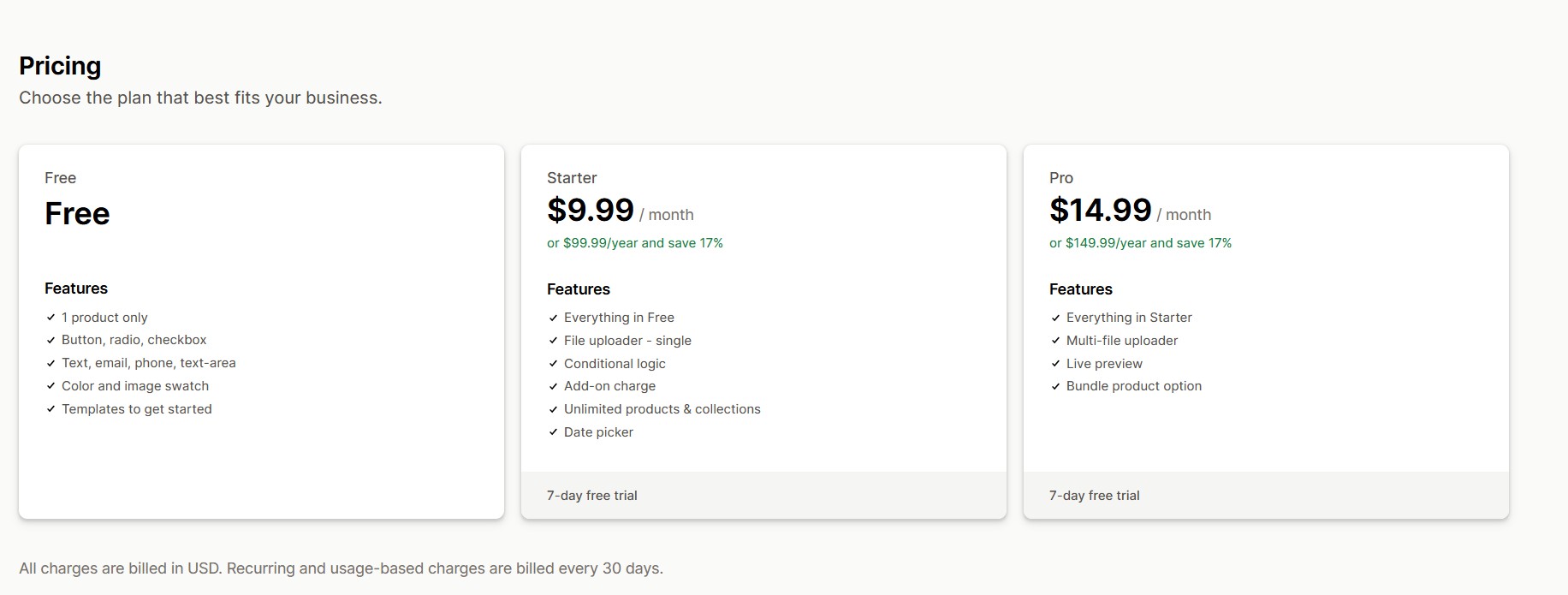
The current Shopify App Store listing shows three main plans. The listing also shows annual billing options for Starter and Pro at a stated discount. However, pricing and feature availability can change. Therefore, merchants should verify the live Shopify App Store listing before publishing pricing information on their website.
Eazy Product Options vs Traditional Shopify Variants
Traditional variants remain useful for many products.
For example, if a T-shirt has three sizes and four colors, traditional variants are a natural solution.
Personalization, however, is different.
| Requirement | Traditional variants | Product options app |
| Size | Excellent | Useful |
| Color | Excellent | Excellent |
| Custom text | Limited | Excellent |
| Customer file upload | Not the primary use | Excellent |
| Conditional fields | Limited | Excellent |
| Add-on customization fee | Limited | Excellent |
| Large combinations | Can become difficult | More flexible |
| Personalization workflow | Basic | Advanced |
Shopify itself notes that merchants can use third-party apps when they need more than the platform’s standard variant structure supports.
This means Unlimited Shopify Variants should be treated carefully as a marketing phrase.
An options app does not necessarily mean that Shopify’s underlying variant system becomes literally unlimited.
Instead, the app can provide additional custom options outside the standard variant structure.
That distinction is important for accurate ecommerce content.
Pros and Considerations
Advantages
- Flexible customization:
Merchants can provide different types of customer inputs, including text, selections, uploads, and personalization details. - Conditional logic:
Only relevant fields can appear based on previous customer selections. Therefore, customers do not need to navigate unnecessary fields. - Personalization support:
Useful for names, engraving, artwork, messages, and other customer-specific details. - File uploads:
Useful for businesses requiring customer artwork or images. - Add-on pricing:
Merchants can charge for premium customization. - Visual choices:
Color and image swatches can make product selections easier to understand. - Templates:
Pre-built structures can reduce setup time. - Multiple pricing levels:
The current listing provides a free option plus paid Starter and Pro plans.
Considerations
No product customization app is automatically perfect for every store.
Before installation, merchants should test:
- Theme compatibility
- Cart behavior
- Checkout workflow
- Mobile layout
- File-upload requirements
- Fulfillment workflow
- Pricing behavior
- App performance
- Customer support
- Integration with other installed apps
In addition, a test product is a good way to validate the complete buying journey before applying customization across a large catalog.
Who Should Use Eazy Product Options?
Eazy Product Options may be a good fit for merchants selling:
- Personalized products
- Print-on-demand products
- Custom apparel
- Engraved products
- Custom gifts
- Jewelry
- Home décor
- Custom stationery
- Made-to-order products
- Configurable products
The app can be particularly useful when a product requires more information than a simple size-and-color selection.
On the other hand, a basic product with only one or two standard choices may not require a dedicated customization app.
The right solution depends on the complexity of the product and the customer’s buying journey.
Why Trust Us

This guide is based on current information from the Shopify App Store, Shopify’s official documentation, and Google Search Central guidance rather than relying only on promotional claims.
The current Shopify listing provides verifiable information about the app’s features, pricing structure, developer, review rating, supported functionality, and Shopify integration.
Furthermore, this article distinguishes between Shopify’s actual variant limits and additional customization functionality.
This matters because merchants should not assume that a product options app literally changes Shopify’s underlying variant limits.
Shopify’s official documentation currently states that products can have up to 2,048 variants and three options, while third-party apps can be used for requirements beyond those limits.
Google recommends people-first content that provides original value, demonstrates expertise, uses trustworthy sources, and avoids creating content primarily to manipulate search rankings.
For that reason, this article focuses on practical use cases, limitations, implementation considerations, and examples rather than making unsupported performance guarantees.
Frequently Asked Questions(FAQ)
1. What is Eazy Product Options?
Eazy Product Options is a Shopify app that allows merchants to add custom product fields and options such as text fields, checkboxes, dropdowns, color swatches, image swatches, file uploads, conditional logic, and add-on pricing.
2. Can Eazy Product Options add custom fields to Shopify products?
Yes. The app supports several custom field types, including text, email, phone, text areas, buttons, radio buttons, checkboxes, dropdowns, and visual swatches.
3. Does Eazy Product Options support file uploads?
Yes. The current listing includes file-upload functionality, with single-file upload on the Starter plan and multi-file upload on Pro.
4. Can I charge extra for product customization?
Yes. Eazy Product Options supports add-on charges, allowing merchants to associate additional costs with selected customization options.
5. Does the app support conditional logic?
Yes. Conditional logic allows options to appear depending on previous customer selections. As a result, merchants can create cleaner customization workflows for products with many choices.
6. Does Eazy Product Options remove Shopify’s variant limit?
It is more accurate to say that it provides additional product customization functionality beyond traditional variants. Shopify currently documents a limit of 2,048 variants and three options per product. Shopify also recommends third-party apps or theme customization for requirements beyond those limits.
7. Is Eazy Product Options suitable for personalized products?
It can be suitable for products requiring text personalization, file uploads, swatches, conditional choices, and paid customization. Examples include apparel, gifts, jewelry, printed products, and made-to-order items.
Conclusion
Eazy Product Options is designed for Shopify merchants who need more flexibility than standard product variants provide.
Its combination of Shopify Product Options, Shopify Product Customizer, Shopify Custom Product Options, conditional logic, Shopify Variant App functionality, Shopify Product Personalization, file uploads, Shopify Add-on Pricing, Shopify Color Swatches, and live customization tools makes it relevant to a wide range of personalized ecommerce businesses.
For merchants selling custom products, a Shopify File Upload App can simplify artwork collection. Likewise, Shopify Conditional Logic can keep complex product pages easier to navigate.
The app can also help merchants structure customization options without trying to create every possible combination as a traditional Shopify variant. However, merchants should understand that “Unlimited Shopify Variants” is not the same as changing Shopify’s underlying variant limit.
The best approach is to identify which choices should remain standard variants and which should be handled as customization options.
If your store sells personalized apparel, custom gifts, engraved products, print-on-demand items, or other configurable products, Eazy Product Options is worth evaluating against your specific product workflow.
Ready to Add More Flexible Product Options?
If your Shopify store needs custom fields, personalization, file uploads, swatches, conditional logic, or paid add-ons, explore Eazy Product Options and test it with a real product before rolling it out across your catalog.
Explore Eazy Product Options on the Shopify App Store